Mon–Sun 8am–8pm Same-day service · Flat-rate pricing

Frame TV Installation — Samsung The Frame and Art TVs, Flush to the Wall

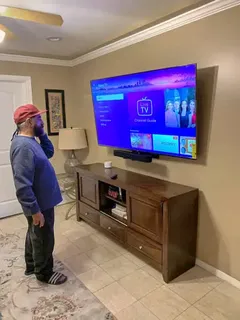
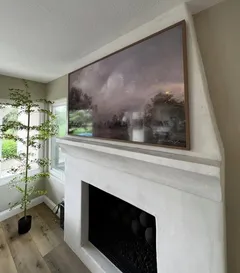
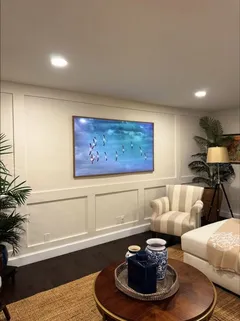
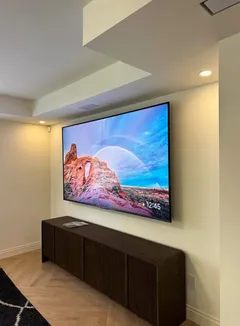
An art TV only looks like a painting when it hangs dead flat, perfectly level and with nothing dangling under it. We install Samsung The Frame and the other picture-frame TVs on the slim mount from their box, solve the outlet behind the screen, hide the cables or the One Connect box, and set up Art Mode before we leave.

Why homeowners book us

  • Flush and level — the slim mount from the box, set on a wall we check for flatness first
  • The outlet problem solved — a standard plug behind a flush TV holds it off the wall; we tell you before we drill
  • Cables or the One Connect box hidden — raceway, in the wall, or a media enclosure
  • Every art TV brand — Samsung, Hisense, TCL, LG; compared below with sources
  • From $169, same-day slots, 3-year warranty
Call (877) 676-8880
★★★★★ 4.9★ from 480+ reviews 3-year workmanship warranty Crews in 12 US metros

Submit a request

Tell us about your TV and the wall — we'll confirm the exact price and a time that works for you by text or call.

What you get

What our Frame TV installation includes

A Frame TV sits a few millimeters from the wall, so every detail behind it shows. These are the five things we get right on every art TV.

Slim mount, flat wall, perfect level

We hang the TV on the slim or flush mount that ships with it, check the wall for bows first and level the screen so it reads as a picture, not a TV.

The outlet behind the screen

Most 2026 art TVs take power at the TV. A regular plug sticks out too far for a flush mount — we tell you if a recessed outlet is needed before drilling.

Cables hidden

HDMI and the One Connect cable go inside the wall or into a slim paintable raceway, so the only thing on the wall is the picture.

A home for the One Connect box

In a media console, a cabinet, or inside the wall in a plastic recessed media enclosure — planned before the mount goes up.

Art Mode set up

Basic setup before we leave: Wi-Fi, Art Mode, the motion and brightness sensors, and how to switch between art and TV.

Compare models

Frame TV and art TV models compared (2025–2026)

The art TVs people ask us to install, side by side. For the install, the last three columns matter most: what the mount is, where the power and inputs plug in, and what that means on your wall. Each number links to its source at the bottom of the page.

Frame TV and art TV models compared (2025–2026)
ModelSizes (US)ScreenMount in the boxVESA (regular mount)Inputs and powerArt libraryWhat it means for the install
Samsung The Frame (2026)55, 65, 75, 85 and 98"[1]QLED, 144 Hz, Glare Free matte screen[2]Slim Fit wall mount included, mounts the TV flush[1]200×200 (55") to 600×400 (85", 98")[2]Ports and power cord on the TV — no One Connect box on the US models[5]Samsung Art Store: $4.99 a month or $49.99 a year, 5,000+ works[6]Power right behind the screen: a standard plug can push the TV off the wall, so plan a recessed outlet.
Samsung The Frame Pro (2026)55, 65, 75 and 85"[1]Neo QLED (Mini LED), 144 Hz, Glare Free[3]Slim Fit wall mount included[3]200×200 (55"), 400×300 (65"), 400×400 (75"), 600×400 (85")[3]Wireless One Connect box up to 30 ft away; the TV still needs its own power cord[1]Samsung Art Store[6]Recessed outlet behind the TV; the wireless box can't go in a metal cabinet or inside a wall[11].
Samsung The Frame (2025)43, 50, 55 and 65"[9]QLED, Matte Display; 60 Hz on 43" and 50", 120 Hz on 55" and 65"[4]Slim Fit wall mount included[4]200×200 (43–55"), 400×300 (65")[4]One Connect box: power and every input go to the box, one thin cable runs to the TV[9][10]Samsung Art Store[6]No outlet needed behind the TV; the One Connect box needs a home — a cabinet or an in-wall media enclosure.
Hisense CanvasTV (2026)50, 55, 65, 75 and 85"[16]QLED, Hi-Matte anti-glare, no local dimming[16]UltraSlim wall mount included; Hisense quotes a 3 mm gap[19]300×200 (50", 55"), 400×300 (65"), 600×400 (75", 85")[16]All ports and the power cord on the TV; the cord is not rated for in-wall use[17]1,000+ free works, no subscription[16]Connect every cable before the mount goes up, as Hisense asks[17]; a recessed outlet keeps the plug from pushing the TV off the wall.
TCL Designer Series Picture Frame TV (2026, A300L)55, 65 and 75"[20]QLED, 144 Hz, Ultra Matte screen[20]Flush wall mount included — tight to the wall, no gap[21]None — not VESA compatible, TCL's mount only[20]Built-in ports, detachable power cord; you swing the bottom of the TV out to reach them[22]350+ free artworks and AI art on the earlier NXTFRAME, no subscription[21]No other bracket fits; the outlet has to be planned around TCL's two wall plates.
LG Gallery TV (2026, LX7)55 and 65"[23]QNED Mini LED, 60 Hz, matte display[23]Wall mount and stand both included; flush mount design[24]400×300 (55"), 400×400 (65")[23]Ports on the TV, detachable power cord[24]LG Gallery+: 100+ free works, 5,000+ for $5 a month[27]Snow-white frame in the box; the outlet sits behind the TV, so a recessed outlet is usually the clean answer.
LG OLED evo G6 (2026)55, 65, 77, 83 and 97"[25]OLED, 120 Hz, Reflection Free Premium (anti-reflection, not matte)[25]Wall mount included, no stand; "virtually no gap"[25]300×200 (55") to 600×400 (97")[25]All inputs on the TV[25]LG Gallery+[27]OLED picture on a glossy anti-reflection screen, so more reflections in a bright room; LG notes a slight gap is possible on some walls[25].
Sony BRAVIA 7 II + Leon Studio Frame50, 55, 65, 75, 85 and 98"[29]True RGB LED; no art mode in Sony's 2026 lineup announcement[29]Standard VESA wall bracket[30]200×200 (50"), 300×300 (55–75"), 400×400 (85"), 600×400 (98")[30]Inputs and power on the TV, like any standard TVGoogle TV ambient mode shows art and photos[32]; the Leon frame adds 150+ works[31]Leon's Studio Frame is a third-party frame made for the BRAVIA 7 and 9[31]; we mount the TV, the frame is fitted by Leon's dealers.

Specs change between model years and even between production runs, so check the label on the back of your TV before buying a mount. RTINGS, which lab-tests these TVs, ranks the 2026 Hisense CanvasTV as its best budget Frame-style TV[33], and Amazon's Ember Artline (55 and 65 inches, 2,000+ free artworks) joined the category in 2026[34].

In this article
  1. What makes a Frame TV installation different
  2. Samsung Frame vs. Hisense CanvasTV, TCL and LG: which is easiest to install
  3. The mount: the slim mount from the box
  4. The outlet behind a flush TV
  5. Hiding the cables and the One Connect box
  6. The One Connect box in an in-wall media enclosure
  7. Art Mode and the setup we do before we leave
  8. What we don't do
  9. Frame TV installation in every region we serve

What makes a Frame TV installation different

A regular TV on a fixed mount sits an inch or two off the wall, and nobody looks behind it. An art TV is the opposite: Samsung The Frame, the Hisense CanvasTV, TCL's Picture Frame TV and LG's Gallery TV are sold on one promise — that they hang like a framed picture[26]. Everything we do on a Frame TV installation serves that promise.

Three things change compared with a regular install:

  • The mount. Each art TV ships with its own slim or flush mount that holds the screen a few millimeters off the wall[7][19]. There's almost no adjustment once it's up, so the holes have to be right the first time.
  • The wall. With a 3 mm gap, a wall that bows by a few millimeters shows as a gap at one corner. A regular mount hides that; a slim mount doesn't.
  • What plugs in behind it. A standard plug, a thick HDMI cable or a bundle of cords behind the TV pushes it off the wall. Samsung's support team warns that cables 7.5 mm or thicker can open the gap[3].

Frame and art TVs are now about one job in eight for our crews, and most of what follows comes from those installs.

Samsung Frame vs. Hisense CanvasTV, TCL and LG: which is easiest to install

The comparison table above has the specs; here is what they mean on the wall:

  • Samsung The Frame (2025 and earlier) is the easiest when you want no cables at all: power and every input go into the One Connect box, and one thin cable runs to the screen[9][10]. Nothing plugs in behind the TV.
  • Samsung The Frame (2026) dropped the One Connect box on the US models: the ports and the power cord connect at the TV, with new stoppers that let you plug in cables without taking the TV off the wall[1][5]. Setup is simpler, but the outlet behind the screen matters again.
  • Samsung The Frame Pro sends video wirelessly from a box up to 30 feet away, but the TV still needs its own power[1][11].
  • Hisense CanvasTV, TCL and LG Gallery TV have every port and the power cord on the TV itself[17][22][24], so power and cables are planned before the mount goes up.
  • The TCL Picture Frame TV has no VESA holes[20] — its included flush mount is the only way to hang it.
  • LG OLED G6 is the only OLED here and uses an anti-reflection coating rather than a matte screen[25]; in a bright room, the matte Samsung, Hisense and TCL screens look more like paper.

Our TV mounts by model pages list the VESA pattern, weight and screws for every Frame size, checked against Samsung's spec pages.

Rather have a pro do it?

Send a request — we'll confirm the exact price and a time that suits you by text or call. 3-year warranty on every install.

Call (877) 676-8880

The mount: the slim mount from the box

New art TVs come with their mount. Samsung lists the Slim Fit wall mount as included on the 2025 and 2026 Frame and Frame Pro[2][3][4], Hisense includes its UltraSlim mount[16], TCL its flush mount[21], and LG a wall mount with the Gallery TV and the G6[24][25]. That's the mount we install — it's part of the TV you paid for.

How it goes:

  1. Template. The paper template from the box goes on the wall and shows the screen outline and the holes. We set the height with you; art TVs are often hung a little higher than a TV you only watch — the TV height calculator gives a starting point.
  2. Studs or masonry. Hisense says plainly that its mount screws must go into studs or concrete and that the mount must not go on drywall without reinforcement[18]. We anchor every slim mount into studs, block or concrete, whatever the brand.
  3. Flatness check. A long level goes across the wall in every direction. A bow shows up as a gap at one corner of a flush TV, so it gets fixed before the TV goes up.
  4. Two people lift. The TV goes onto the mount, gets leveled and is checked edge to edge for an even gap.

If your Frame came without its mount — open box or second hand — most models still have standard VESA holes[4][16], and a regular low-profile mount from our price list fits; it just sits further off the wall. The TCL is the exception: no VESA, its own mount only[20].

The outlet behind a flush TV

This is the detail most Frame installs trip over. A standard outlet with a plug in it sticks out further than a slim mount leaves room for, so a TV hung over it either won't sit flat or rests on the plug.

When it matters:

  • The 2026 Samsung Frame, the Frame Pro, and the Hisense, TCL and LG art TVs take power at the TV[5][11][17][24]. If the existing outlet is where the TV goes, it usually has to be swapped for a recessed outlet — a box set into the wall so the plug and its cord stay behind the wall surface[35][36].
  • 2025 and earlier Frames with a One Connect box don't need an outlet behind the screen at all — the box takes the power[10].
  • If the outlet is off to the side, the power can run inside the wall to a recessed outlet behind the TV, or in a raceway.

What a recessed outlet takes depends on your wall and the wiring in it, so we don't put a price on it here. **Tell us in the request where the outlet is, or call (877) 676-8880** — we'll look at a photo, explain the options and confirm before the visit.

One rule we never bend: a power cord is not pushed through the wall to reach an outlet. The electrical code doesn't allow flexible cords to be run through or concealed in walls[37], Hisense says its cord isn't rated for in-wall use[17], and Samsung recommends in-wall rated cables and a proper kit[13].

Hiding the cables and the One Connect box

You choose one of three finishes when you book:

  1. Just installed. The TV goes up flush, and the cables run down to the console as neatly as they can. Fastest and cheapest.
  2. Cables hidden. HDMI and the One Connect cable go inside the wall to a plate near the console ($69), or into a slim paintable raceway ($39) on brick, concrete or in a rental. Details on our TV cable concealment page and in hiding TV wires in the wall.
  3. One Connect box in the wall. On Frame models with a wired box, the box itself disappears into a media enclosure — see the next section.

Samsung's One Connect cable is thin and comes in lengths up to 49 feet, and Samsung asks you to follow local guidelines when you install it in a wall[12]. It doesn't publish an in-wall rating for the current cable, and its older 15 m cable sheet says that cable isn't designed to meet in-wall installation codes[8]. So we run it inside flexible conduit — the corrugated "smurf tube"[40] — which protects it and lets it be pulled out and replaced without opening the drywall. Spare cable is coiled in a loose loop, never folded tight.

The One Connect box in an in-wall media enclosure

The cleanest finish there is: nothing on the console, nothing on the wall but the picture. It also needs the most planning, so here is how it goes.

  1. The enclosure. A special plastic recessed media box that fits into the drywall between two studs, deep enough for the One Connect box and its cables, with brackets made to hold Samsung's box[38][39]. You can buy it yourself — we'll tell you which one fits your box — or we bring it.
  2. The spot. Usually below the TV at outlet height, or behind the console. We scan the stud bay for fire blocks, pipes and wiring first. DataComm, for one, says its box has no fire rating and must not go into a fire-rated wall[39] — in a condo or townhouse that often rules out the wall you share with a neighbor or the garage.
  3. Power for the box. The One Connect box needs an outlet inside the enclosure. Enclosure makers call for a listed outlet installed by a licensed electrician[39]; we tell you exactly what's needed and plan around it.
  4. The cable run. The One Connect cable goes inside the wall, in conduit, from the TV down to the enclosure.
  5. Air and access. Samsung's manual asks for ventilation space around the One Connect box and says not to stand it on its end[14], so it goes in flat, under an open trim ring that lets air through[38]. The enclosure stays reachable for a reset or another HDMI device.

Because it depends on the wall, the enclosure and the power, **this option is quoted per job — send a request or call (877) 676-8880** and we'll go through it with you.

Two boxes we don't put inside a wall: the Frame Pro's wireless One Connect, because Samsung says walls and metal cabinets can block its signal[11], and LG's wireless Zero Connect Box for the W6 Wallpaper TV, which LG wants within 30 feet and lower than the TV's receiver[28].

Art Mode and the setup we do before we leave

A Frame that shows a black rectangle all day misses the point. Before we leave we do the basic setup: Wi-Fi, Art Mode on, the motion and brightness sensors switched on so the art dims with the room and goes off when nobody's there, and a quick walk-through of switching between art and TV.

Art libraries differ by brand. Samsung's Art Store is $4.99 a month or $49.99 a year for 5,000+ works[6]; LG Gallery+ is $5 a month, with 100+ free works[27]; Hisense includes 1,000+ works with no subscription[16]; TCL's earlier NXTFRAME came with 350+ free artworks[21]. Subscriptions are between you and the manufacturer — we just show you where they are.

Sony is the odd one out: its 2026 lineup announcement mentions no art mode[29], though Google TV's ambient mode can show art and photos[32]. For the look on a BRAVIA, Leon makes a Studio Frame for the BRAVIA 7 and 9[31]; we mount the TV, and Leon's dealers fit the frame.

What we don't do

  • Cut the TV into the wall. We hang art TVs flush on the surface with the manufacturer's mount.
  • Build custom frames. The magnetic frames and bezels Samsung, Hisense and LG sell clip on by hand; custom-built frames are a carpenter's job.

Frame TV installation in every region we serve

Art TVs land on very different walls across our regions: poured concrete and block in Miami condos, plaster in older Los Angeles homes, stucco-built houses in Las Vegas, and drywall over wood studs in most of Dallas, Houston, Atlanta, Charlotte and Raleigh–Durham. Brick two-flats in Chicago, stucco in San Diego, finished basements in Salt Lake City and Craftsman plaster in Seattle all take a Frame flush — with the right anchors. Local Frame TV pages: Frisco, Irvine, Boca Raton and Henderson. Doing it yourself? Start with how to mount a Samsung Frame TV.
How it works

How a Frame TV installation goes

  1. Step 1

    Plan the spot, power and box

    We confirm the model, where the outlet is, where the cables or the One Connect box will live, and the height — art TVs are often hung a little higher than a regular TV.

  2. Step 2

    Check the wall and set the template

    The wall is scanned for studs, pipes and wiring and checked for flatness; the paper template from the box marks the screen outline and the mount holes.

  3. Step 3

    Mount, power and cables

    The slim mount goes into studs or masonry; cables run inside the wall or in a raceway, and the recessed outlet or media enclosure goes in if it was agreed beforehand.

  4. Step 4

    Hang, level and close the gap

    The TV is lifted onto the mount by two people, leveled, and checked edge to edge for an even gap to the wall.

  5. Step 5

    Set up Art Mode and walk through

    We connect Wi-Fi, switch on Art Mode and the sensors, test every input and show you how the art and TV modes work.

Pricing

Frame TV Installation pricing

ServicePrice
Frame TV, up to 60"$169
Frame TV, 61–85"$179
Frame TV, 86" and largerfrom $229
Each additional TVfrom $40
External (cable raceway)$39
Internal (inside the wall)$69

A Frame or other art TV is $50 more than a regular TV of the same size — the slim mount takes more care to set dead flat and level, and the power and cables need planning. The slim mount from the box is used; if your TV came without one, a regular mount from our list fits the standard VESA holes on most models. A recessed outlet or an in-wall media enclosure is quoted once we know your wall — send a request or call (877) 676-8880.

Full price list →
Where we work

Frame TV Installation in every region we serve

The same crews, the same flat price list and the same 3-year warranty in every region — and no travel fee anywhere inside the service area.

Related guides from our blog

DIY Guides

How to Mount a Samsung Frame TV Flush to the Wall

The Frame hangs almost flush on Samsung's Slim Fit Wall Mount. Template, stud and anchor options, the One Connect box and its cable, the 3 mm gap, and the mistakes that leave it crooked or floating.

3 min read
Special Installations

Samsung Frame TV Installation in Miami: Flush on Concrete, One Connect Hidden

The Frame looks like art only when it hangs flat. How we install it on Miami concrete block and high-rise walls, where the One Connect box goes in condos without in-wall space, and what it costs.

2 min read
Special Installations

Samsung Frame TV Installation in Los Angeles: Flush, Level, Earthquake-Minded

Frame TV installs across LA: older plaster walls in Hancock Park and Los Feliz, drywall in the Valley, apartment rules, hiding the One Connect cable in-wall, and anchoring for earthquake country.

2 min read
Special Installations

Samsung Frame TV Installation Service in Las Vegas

Frame TV installs across Las Vegas and Henderson: stucco-era drywall, desert sun and glare, casita and patio walls, and hiding the One Connect cable. Flat pricing, same-day slots.

2 min read
Installation Tips

How to Hide TV Wires In the Wall (In-Wall Cable Concealment Guide)

The code-compliant way to run TV cables inside a wall: in-wall power relocation kits, why extension cords are not allowed, fire blocks, and what to do on concrete and block walls.

3 min read
Product Guides

VESA Size Chart by TV Size, Screw Sizes and How to Check Your TV

Typical VESA patterns for 2024–2026 TVs: 43–50 inches mostly 200×200, 55 inches often 300×200 or 300×300, 65 inches 400×300, 75 inches 400×400, 85 inches mostly 600×400 — plus M6/M8 screws and how to measure yours.

2 min read

Free planning tools

Frame TV Installation: frequently asked questions

How much does Frame TV installation cost?
$169 for art TVs up to 60 inches, $179 for 61–85 inches and from $229 for 86 inches and up — the regular price for the size plus $50. Hiding the cables is $39 in a raceway or $69 inside the wall. A recessed outlet or an in-wall media enclosure is quoted once we know your wall.
Does the Samsung Frame come with a wall mount?
Yes. Samsung lists the Slim Fit wall mount as included with the 2025 and 2026 Frame and Frame Pro[2][3][4] — it's the reason the Frame hangs like a picture. If you bought one used or open-box without it, the Frame also has standard VESA holes, but a regular mount holds it further off the wall.
How close to the wall does a Frame TV sit?
Close enough that a finger barely fits. Samsung quotes a 3 mm gap for its Slim Fit mount[7], Hisense quotes 3 mm for the CanvasTV[19], and TCL says "no gap"[21]. The real gap depends on the wall: a bowed wall, or a cable 7.5 mm or thicker behind the screen, opens it up[3] — which is why we check the wall and plan the cables first.
Do I need an outlet behind a Frame TV?
It depends on the year. The 2025 Frame and earlier take power through the One Connect box[10], so nothing plugs in behind the screen. The 2026 Frame has its ports and power on the TV[5], and the Frame Pro needs a power cord at the TV even with its wireless box[11]. Hisense, TCL and LG art TVs plug in at the TV too. A standard outlet with a plug in it sticks out too far for a flush TV — a recessed outlet fixes that.
Can you hide the One Connect box inside the wall?
Yes, for Frame models with a wired One Connect box: it goes into a plastic recessed media enclosure set between two studs, with the cable run inside the wall to the TV. You can buy the enclosure yourself or we bring it. We don't put the Frame Pro's wireless box inside a wall — Samsung says a wall can block its signal[11].
Can a Frame TV go on a tilting or full-motion mount?
On most models, yes: Samsung lists Full Motion Slim wall mount support for the 2026 Frame[2], and the VESA holes take regular brackets. But any mount that tilts or swings holds the TV off the wall and loses the picture look. The TCL Picture Frame TV can't — it has no VESA holes[20].
Can you mount a Frame TV above a fireplace?
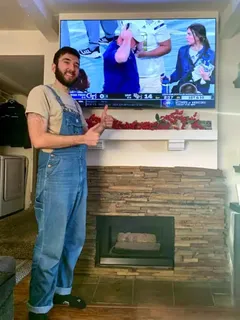
Yes, after the same heat and anchoring check as any TV over a fireplace — Samsung says its TVs should never exceed 104°F[13]. A flush art TV can't tilt, so the height matters even more; see fireplace TV installation.
Can a Frame TV go on a covered patio?
We don't recommend it. Art TVs are indoor TVs — Samsung says its TVs should never exceed 104°F[13] — and a covered patio is hotter and damper than an indoor TV is built for, from a Las Vegas summer to a humid Miami lanai. For the patio we mount an outdoor-rated TV instead: see outdoor TV installation.
Do you install the Hisense CanvasTV, TCL Picture Frame TV and LG Gallery TV?
Yes — every art TV in the table above, on the mount from its box. The TCL has no VESA holes[20], so its own mount is the only option.
Do you recess the TV into the wall or build custom frames?
No. We hang art TVs flush on the surface of the wall with the manufacturer's mount; cutting the TV into the wall and custom-built frames are not part of our service.

Sources

The TV specifications on this page were checked against these sources on October 21, 2026. Manufacturers update their pages — if a number differs from the manual in your TV's box, the manual wins.

  1. Samsung Elevates 2026 The Frame Lineup — Samsung US Newsroom, April 2, 2026
  2. 65" The Frame QLED 4K TV (LS03HE) — specifications — Samsung US
  3. 65" The Frame Pro Neo QLED 4K TV (LS03HW) — specifications — Samsung US
  4. 65" The Frame QLED 4K TV (LS03FA, 2025) — specifications — Samsung US
  5. Why The Frame — model comparison — Samsung US
  6. Art TV and Samsung Art Store — Samsung US
  7. Slim Fit Wall Mount (WMN-B50EB) — 3 mm gap with The Frame — Samsung Australia
  8. One Invisible Connection 15 m cable (VG-SOCR15/ZA) spec sheet — Samsung US, 2019
  9. Samsung Expands 2025 Art TV Lineup — Samsung US Newsroom, April 9, 2025
  10. The Frame 55"/65" Quick Setup and Mounting Guide (One Connect wiring) — Samsung US
  11. Set up the Wireless One Connect box — Samsung US Support
  12. One Connect cable: length and in-wall installation — Samsung US Support
  13. Wall-mounting your Samsung TV: in-wall cables and fireplaces — Samsung US Support
  14. The Frame 43LS03T user manual — One Connect ventilation and placement — Samsung (via ManualsLib)
  15. 50" S7 CanvasTV (50S7SG) — Hisense USA
  16. S7 CanvasTV 2026 (S7SG) specification sheet — Hisense USA
  17. CanvasTV S7SG quick setup guide — Hisense USA
  18. CanvasTV UltraSlim wall mount installation guide — Hisense USA
  19. 65" CanvasTV 4K QLED (65S7N) — Hisense Canada
  20. Designer Series Picture Frame TV, 2026 version (A300L) — TCL USA
  21. 65" NXTVISION (NXTFRAME) QLED with flush wall mount (65A300W) — TCL USA
  22. A300W user manual — TCL
  23. 65" Gallery TV with Frame (65LX7BPUA) — LG US
  24. Gallery TV (55LX7BPUA) spec sheet — LG Electronics USA
  25. 65" OLED evo G6 (OLED65G6WUA) — LG US
  26. LG launches Art TV lineup — LG US press release, May 18, 2026
  27. LG Gallery+ — LG US
  28. 77" OLED evo W6 Wallpaper TV (OLED77W6PUA) — LG US
  29. Sony Electronics introduces BRAVIA 9 II and BRAVIA 7 II — Sony Electronics press release, May 27, 2026
  30. BRAVIA 7 II 65" (K-65XR70M2) — specifications — Sony Electronics
  31. Studio Frame for Sony BRAVIA — Leon Speakers
  32. Customize ambient mode on Google TV — Google TV Help
  33. The best Frame TVs — RTINGS.com
  34. Amazon Ember Artline lifestyle TV — About Amazon
  35. Recessed power / low-voltage TV box TVBU505 spec sheet — Arlington Industries
  36. Single-gang recessed TV box with low-voltage pass-through (TV1LVKITWCC2) — Legrand / Pass & Seymour
  37. NEC requirements for flexible cords and fixture wires (Article 400) — EC&M, November 2024
  38. Blackbird in-wall media box 48604 / 48605 sales sheet — Monoprice
  39. Connected Media Box instruction manual — DataComm Electronics
  40. ENT ("smurf tube") conduit fill chart — Elliott Electric Supply

What customers say

★★★★★

"Mounted a 75" above the fireplace and hid every cable. Showed up on time, done in about an hour, left the room cleaner than they found it."

— Daniel R.
★★★★★

"Got the price online in a minute, booked for the same afternoon. Exactly the number I was quoted, no surprises."

— Maria G.
★★★★★

"Three TVs, two wall types, one visit. The full-motion mount in the kitchen corner was a great call."

— Kevin P.

Hang your Frame like a picture

Send a request with your TV model and where the outlet is — we'll confirm the price and a same-day slot, and tell you up front if a recessed outlet or an enclosure is needed.

(877) 676-8880